
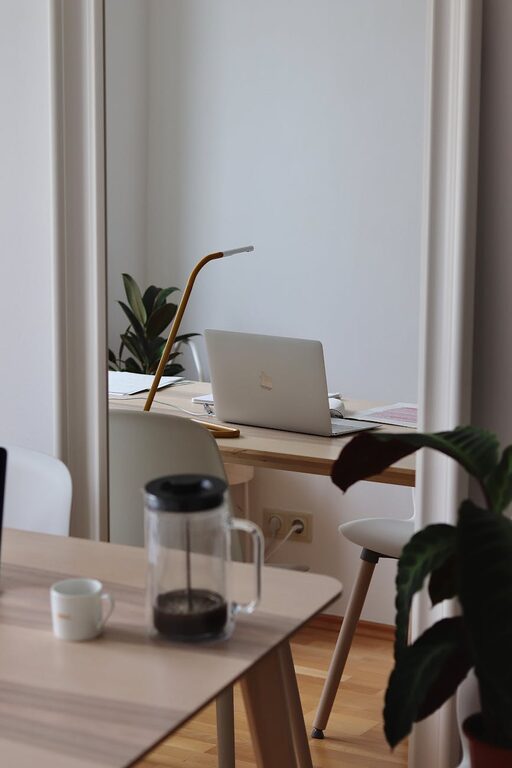
Creating a productive home office environment is essential for anyone working remotely or managing tasks from home. A well-designed workspace can help improve focus, reduce distractions, and enhance overall work satisfaction. Whether you have a dedicated room or a small corner, these tips will help you create an effective and comfortable home office.
Choose the Right Location
Finding the right spot for your home office is the first step in boosting productivity.
– Quiet and Low-Traffic Area: Select a space away from the noise and distractions of household activities.
– Natural Light: Position your desk near a window if possible. Natural light can improve mood and reduce eye strain.
– Privacy: Consider how much privacy you need for phone calls or video meetings. A door or divider can help.
Invest in Comfortable Furniture
Comfort is key when you spend long hours at your desk.
– Ergonomic Chair: Choose a chair that supports your lower back and allows your feet to rest flat on the floor.
– Adjustable Desk: If possible, get a desk with adjustable height to alternate between sitting and standing.
– Proper Desk Size: Ensure your desk has enough space for your computer, documents, and other essentials.
Organize Your Workspace
An organized space helps clear your mind and keeps distractions to a minimum.
– Declutter Regularly: Remove unnecessary items from your desk to maintain focus.
– Use Storage Solutions: Shelves, drawers, and organizers keep supplies within reach and reduce mess.
– Cable Management: Use clips or ties to keep cords tidy and prevent tangling.
Optimize Lighting
Good lighting can reduce fatigue and improve concentration.
– Layered Lighting: Combine natural light with overhead lights and a task lamp.
– Adjustable Lamps: Use adjustable desk lamps to direct light where you need it most.
– Avoid Glare: Position your screen and light sources to minimize glare on your monitor.
Minimize Distractions
Limiting distractions strengthens your ability to focus.
– Set Boundaries: Communicate with household members about your work hours.
– Use Noise-Cancelling Tools: Headphones or white noise machines can block out background noise.
– Turn Off Notifications: Silence non-essential phone and computer alerts during work periods.
Personalize Your Space
Adding personal touches can make your workspace more inviting.
– Plants: Indoor plants improve air quality and create a calm atmosphere.
– Artwork or Photos: Decorate your walls with images that inspire you.
– Comfort Items: Include a cozy blanket or a stress ball to help relax during breaks.
Establish a Routine
Creating routines helps your brain separate work time from personal time.
– Set Regular Hours: Stick to consistent start and end times.
– Take Scheduled Breaks: Step away from your desk to stretch, walk, or refresh.
– Prepare a To-Do List: Prioritize tasks to maintain focus and track progress.
Use Technology Wisely
Technology can enhance productivity when used thoughtfully.
– Reliable Internet: Ensure you have a strong internet connection.
– Backup Systems: Use cloud storage to avoid losing important files.
– Productivity Apps: Tools like calendars, timers, and note apps can keep you organized.
Pay Attention to Air Quality and Temperature
Comfortable air quality and temperature improve concentration.
– Ventilation: Open windows or use an air purifier to keep the air fresh.
– Temperature Control: Use fans, heaters, or adjust thermostats to maintain comfortable temperatures.
Final Thoughts
Creating a productive home office environment involves balancing comfort, organization, and focus. By choosing the right location, investing in ergonomic furniture, minimizing distractions, and personalizing your space, you can build a workspace that supports your best work. Remember, the goal is to make your home office a place where you feel motivated and comfortable throughout your workday.