
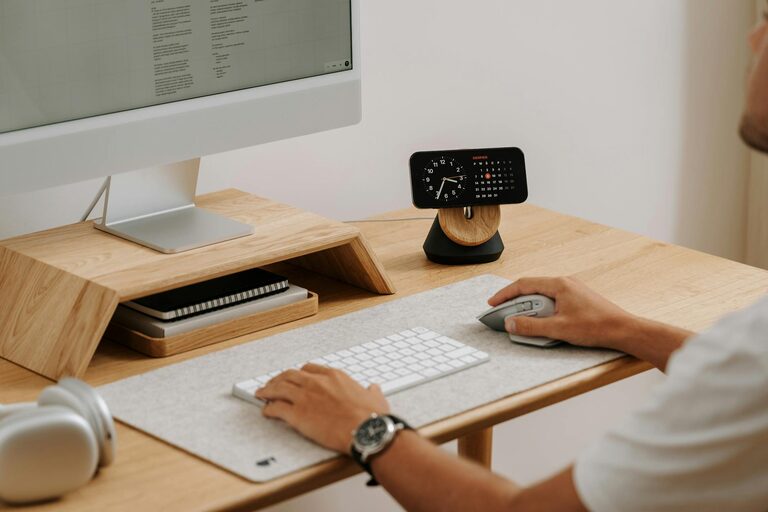
Creating a home office that is both cozy and productive is essential for anyone working remotely or managing home-based projects. A well-designed workspace can improve focus, reduce stress, and make your workday more enjoyable. Whether you have a small corner or an entire room, here are some helpful tips to create a home office that works for you.
Choose the Right Location
Finding the best spot for your home office sets the foundation for comfort and productivity.
– Minimize Distractions: Pick a quiet area away from household noise and foot traffic.
– Natural Light: Work near a window if possible; natural sunlight enhances mood and reduces eye strain.
– Space Consideration: Ensure there’s enough room for your desk, chair, and storage without feeling cramped.
Invest in Comfortable Furniture
Comfort is key to maintaining focus during long work hours.
– Ergonomic Chair: Choose a chair that supports your back and encourages good posture.
– Appropriate Desk: Find a desk height that allows your arms to rest comfortably while typing.
– Flexible Options: Consider adjustable desks to switch between sitting and standing.
Optimize Lighting
Good lighting influences both your energy levels and overall comfort.
– Layered Lighting: Combine ambient, task, and accent lighting to reduce shadows and eyestrain.
– Desk Lamps: Use adjustable desk lamps for focused illumination on documents or screens.
– Avoid Glare: Position screens and lights to prevent reflections that can cause headaches.
Personalize Your Space
Adding personal touches makes your office inviting and motivating.
– Decor: Use artwork, plants, or photos that inspire you.
– Color Choices: Soothing colors like soft blues, greens, or neutrals support concentration.
– Textures: Incorporate cozy elements like a soft rug or throw blanket.
Keep It Organized
An orderly workspace helps clear your mind and saves time.
– Storage Solutions: Utilize shelves, drawers, or filing cabinets to keep materials tidy.
– Declutter Regularly: Remove unnecessary items to maintain a clean environment.
– Cable Management: Use clips or sleeves to keep cords and wires out of sight.
Incorporate Technology Wisely
Tools and devices should make your work easier, not more complicated.
– Reliable Internet: Ensure a strong Wi-Fi connection for seamless virtual meetings.
– Essential Devices: Use monitors, keyboards, and mice that suit your workflow.
– Noise Control: Consider noise-cancelling headphones if you need extra focus.
Establish Boundaries
Separating work from personal life maintains balance and mental wellbeing.
– Set a Schedule: Define clear working hours to avoid overworking.
– Designate Work Zones: Use physical or visual boundaries to separate your office from living spaces.
– Communicate: Let household members know your work times to minimize interruptions.
Add Greenery
Plants do more than decorate—they improve air quality and reduce stress.
– Low-Maintenance Plants: Choose options like succulents or pothos if you lack a green thumb.
– Placement: Put plants near your desk or in corners to create a peaceful atmosphere.
Enhance Air Quality and Comfort
A fresh and comfortable environment supports alertness and wellbeing.
– Ventilation: Keep windows open when possible or use air purifiers.
– Temperature Control: Use fans, heaters, or humidifiers to maintain a comfortable temperature.
– Cleanliness: Regularly dust and vacuum your space to prevent allergens.
Incorporate Break Areas
Taking breaks is vital for sustained productivity.
– Comfortable Seating: Add a small chair or cushion for quick rest periods.
– Relaxation Items: Keep items like stress balls or a book nearby to recharge.
Final Thoughts
Designing a cozy and productive home office is about balancing functionality with comfort. Tailor your space to your personal needs, keep it organized, and don’t forget to nurture both your body and mind during your workday. With a few thoughtful changes, your home office can become your favorite and most effective room in the house.